3.7 多sheet导出
可能我们一个sheet界面要导出多类型的数据,这个时候我们需要多sheet导出数据,整个业务和单个sheet没有区别,只是每个sheet单独的参数而已
只是模板参数需要指定具体要导出的sheet
/**
     * 构造器
     * @param templateUrl 模板路径
     * @param sheetNum    sheet 的位置,可不填
     */
    public TemplateExportParams(String templateUrl, Integer... sheetNum) {
        this.templateUrl = templateUrl;
        if (sheetNum != null && sheetNum.length > 0) {
            this.sheetNum = sheetNum;
        }
    }
具体导出的函数是这个
/**
     * 导出文件通过模板解析只有模板,没有集合
     * 每个sheet对应一个map,导出到处,key是sheet的NUM
     *
     * @param params 导出参数类
     * @param map    模板集合
     * @return
     */
    public static Workbook exportExcel(Map<Integer, Map<String, Object>> map,
                                       TemplateExportParams params) {
        return new ExcelExportOfTemplateUtil().createExcelByTemplate(params, map);
    }
每个map对应一个sheet界面,int和上面的params保持一致,比如这是两个sheet要导出,分别是sheet位置0和sheet位置1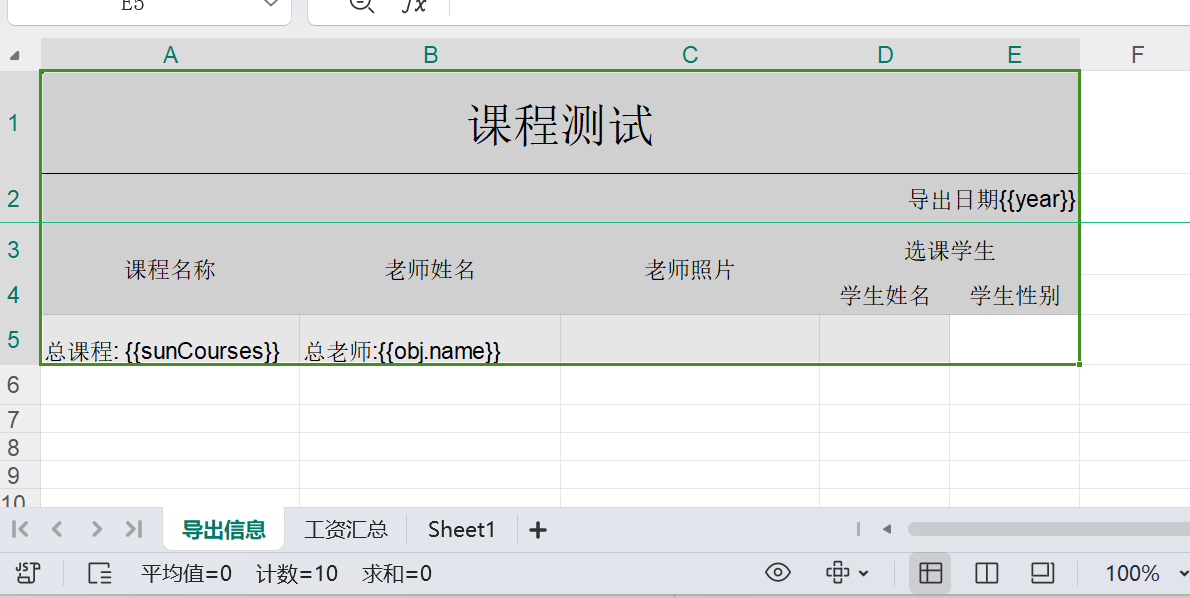
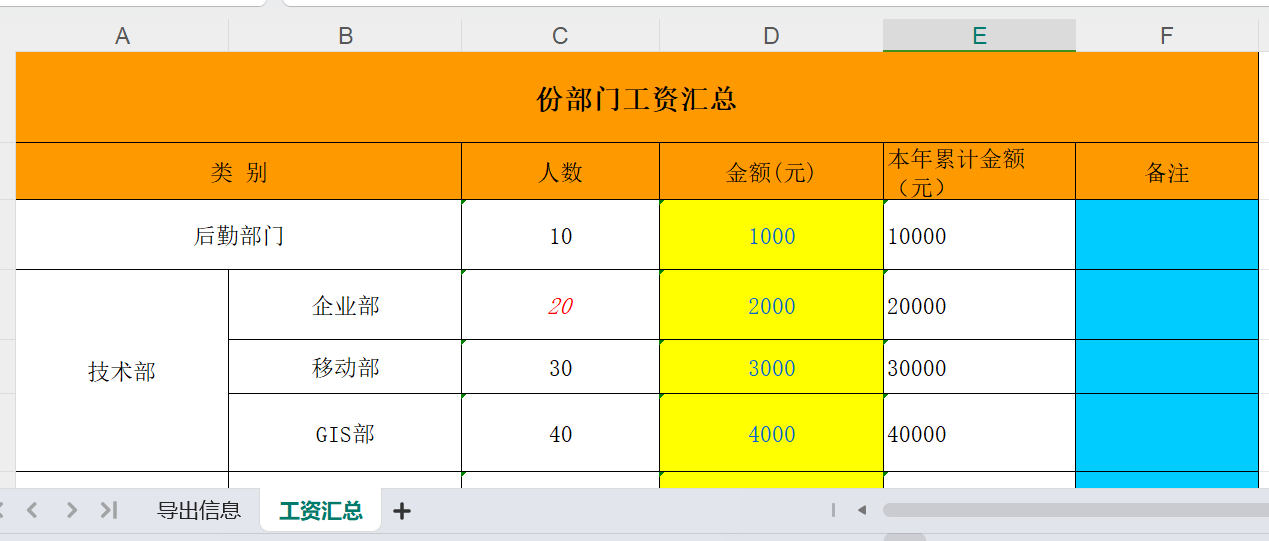
比如这个导出实例,就是连个sheet界面
public void manyMap() throws Exception {
        TemplateExportParams params = new TemplateExportParams(
            "doc/exportTemp.xls", 0,1);
        params.setHeadingRows(2);
        params.setHeadingStartRow(2);
        Map<Integer,Map<String,Object>> sheetMap = new HashMap<Integer, Map<String,Object>>();
        Map<String, Object> map = new HashMap<String, Object>();
        //sheet 1
        map.put("year", "2013");
        map.put("sunCourses", list.size());
        Map<String, Object> obj = new HashMap<String, Object>();
        map.put("obj", obj);
        obj.put("n"
                + "ame", list.size());

        // sheet 2
        map.put("month", 10);

        //第一个sheet Map的值put进去
        sheetMap.put(0, map);
        map = new HashMap<String, Object>();
        Map<String, Object> temp;
        for (int i = 1; i < 8; i++) {
            temp = new HashMap<String, Object>();
            temp.put("per", i * 10);
            temp.put("mon", i * 1000);
            temp.put("summon", i * 10000);
            map.put("i" + i, temp);
        }
      //第二个sheet Map的值put进去
        sheetMap.put(1, map);
        Workbook book = ExcelExportUtil.exportExcel(sheetMap,params);
        File savefile = new File("D:/home/excel/");
        if (!savefile.exists()) {
            savefile.mkdirs();
        }
        FileOutputStream fos = new FileOutputStream("D:/home/excel/exportTemp3.xls");
        book.write(fos);
        fos.close();

    }
导出的效果如下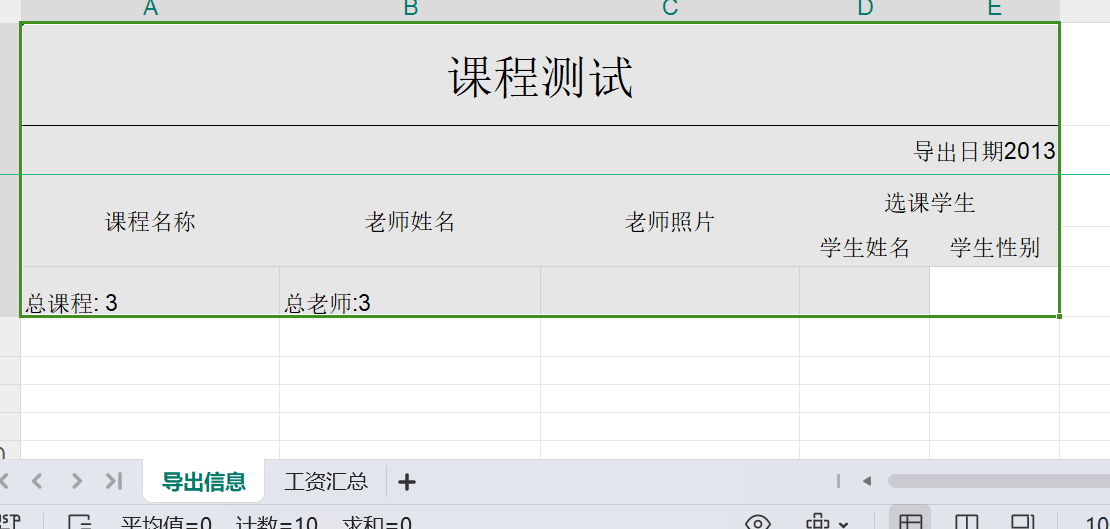
作者:悟耘信息 创建时间:2024-08-20 21:52
最后编辑:悟耘信息 更新时间:2024-08-20 21:59
最后编辑:悟耘信息 更新时间:2024-08-20 21:59
