图片导出和Excel没啥区别,需要一个单独的对象,标记这个是一个图片
主要这个值是一个ImageEntity对象,那么模板就会是被这个图片进行导出
虽然xls和xlsx都支持,但还是优先建议导出xlsx
    public static int EMBED  = 0;
    public static int ABOVE  = 1;
    public static int BEHIND  = 2;

    public static String URL  = "url";

    public static String Data = "data";
    /**
     * 图片输入方式
     */
    private String       type = URL;
    /**
     * 图片宽度
     */
    private int          width;
    // 图片高度
    private int          height;
    // 图片地址
    private String       url;
    // 图片信息
    private byte[]       data;

    private int          rowspan = 1;
    private int          colspan = 1;
    /**
     * 图片方式
     * EMBED 围绕
     * ABOVE 浮于上方
     * BEHIND 浮于下方
     */
    private int          locationType = ImageEntity.EMBED;

    public ImageEntity() {

    }

    public ImageEntity(byte[] data, int width, int height) {
        this.data = data;
        this.width = width;
        this.height = height;
        this.type = Data;
    }

    public ImageEntity(String url, int width, int height) {
        this.url = url;
        this.width = width;
        this.height = height;
    }
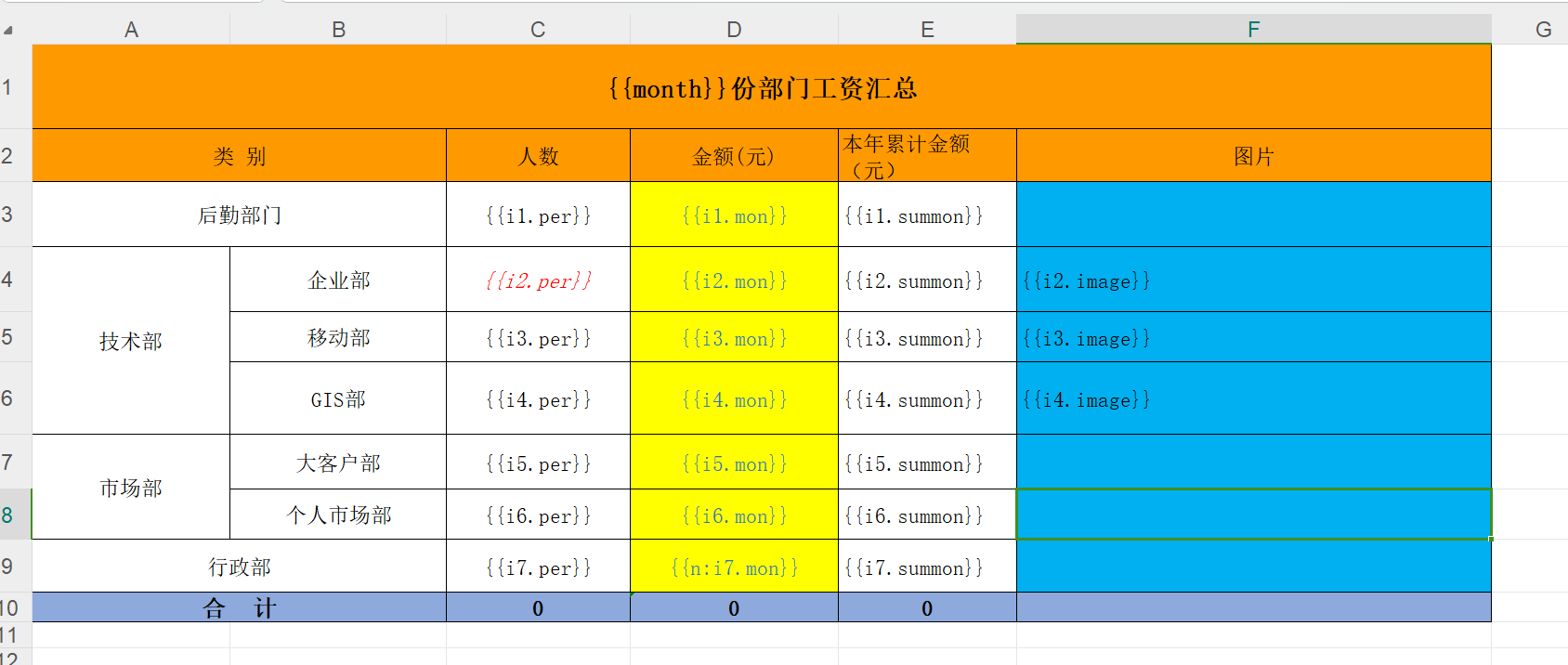
导入的代码
TemplateExportParams params = new TemplateExportParams(
                "doc/exportTemp_image.xls", true);
        Map<String, Object> map = new HashMap<String, Object>();
        // sheet 2
        map.put("month", 10);
        Map<String, Object> temp;
        for (int i = 1; i < 8; i++) {
            temp = new HashMap<String, Object>();
            temp.put("per", i * 10);
            temp.put("mon", i * 1000);
            temp.put("summon", i * 10000);
            ImageEntity image = new ImageEntity();
            image.setHeight(400);
            image.setWidth(500);
            image.setUrl("imgs/company/baidu.png");
            temp.put("image", image);
            map.put("i" + i, temp);
        }
        Workbook book = ExcelExportUtil.exportExcel(params, map);
        File savefile = new File("D:/home/excel/");
        if (!savefile.exists()) {
            savefile.mkdirs();
        }
        FileOutputStream fos = new FileOutputStream("D:/home/excel/exportTemp_image.xls");
        book.write(fos);
        fos.close();
导出效果如下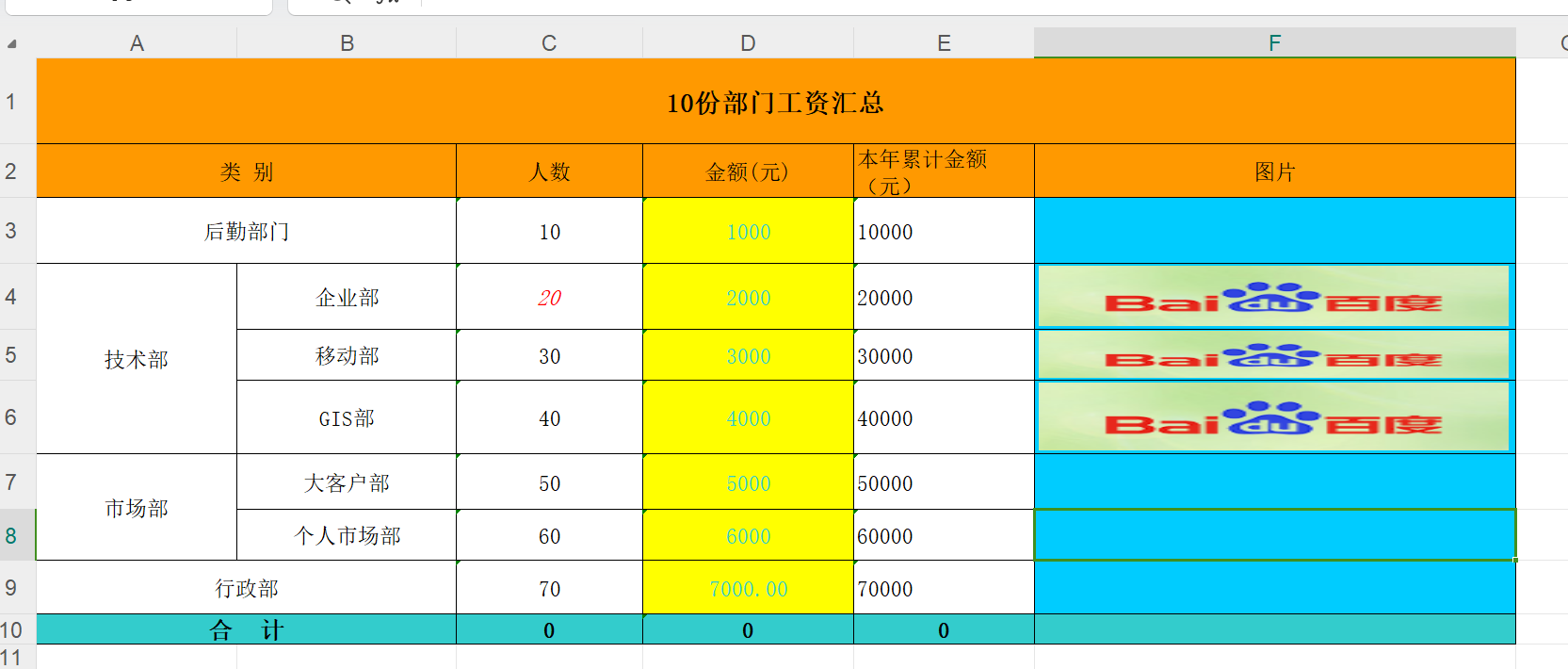
作者:悟耘信息 创建时间:2020-04-09 15:17
最后编辑:悟耘信息 更新时间:2024-08-18 12:21
最后编辑:悟耘信息 更新时间:2024-08-18 12:21
